Banyan Hypnosis Center for Training &
Services, Inc.
"Hypnosis You Can Believe In"™ We have been providing professional hypnosis sessions since 1996 and have conducted tens of thousands of hypnosis sessions. Our clients and students come to us from all across the country and from over 40 countries. Our success is well known in the hypnosis profession. Give us a call and find out more.
Hypnosis Training & Certification
It is a complete Age Regression course where you get everything you need to know about regression. It is a very structured course. Every student gets equal attention and as much time as needed. Every question is answered. Exercises, exercises and exercises make you do the inductions and regression easy and ready to use soon after you return to your practice. Cal is a true Master Hypnotist, excellent teacher and a gentlemen.
Bharat Karajgi, MD, Nashua, NH
This is a show-stopper course! The information is infinitely useful. The experiential methodology was highly effective. Cal Banyan is a competent instructor and genuinely cares about the success of his students. He gives a significant amount to the profession through teaching, preparing state of the art audio visuals and forms. He is a phenomenal teacher and posts free videos every week on the internet. Cannot say enough about the "value-added" of this course and the teacher.
Linda Cupit, MBA, MS, LFACHE, CH, Naples, FL
This course was truly transforming for me. The method of doing hypnosis via 5-PATH and 7th Path, met more that I even expected. At the end of the 2nd week, I personally moved through hidden aspects of myself that freed me from 15+ years of pain that was thought to be a lifelong curse. I now know that through the process of 5-PATH and 7th Path, life can be given back to the person searching, CONTROL! Cal Banyan is an amazing instructor. You can feel, sense and experience his passion of this process as well as witness his compassion towards his clients.
Marcella Hilferty, BS, MBA, Easton, PA - Attended Course Live Online
This is the most clear and profound course I have ever attended. It has been for me like a shining light on my approach to hypnosis and spirituality. It has touched me deeply, and I am sure it will enormously improve the quality of my practice and the way I relate to it, as well as the way I relate to my own feelings.
Vittorio Romeo, PhD. CH. Laguna Beach, CA.
During the course of my professional business career, I've received the opportunity to participate in a number of seminars and courses, and without question, the Banyan Hypnosis Center's program was the most informative, motivating, and personally enlightening training that I have ever experienced. It is so much more than the finest hypnotherapy training program available – it can literally be life-changing, and most importantly, empowers the student to change the lives of others in a profound way through 5-PATH® and 7th Path Self-Hypnosis.
Steve Schmitz, M.B.A.
Coconut Creek, FL
As a physician, I needed a training course that :
- Had a reasonable map of consciousness
- Had a systematic approach to surgically address psychological and behavioral issues
- Had sufficient time dedicated to practice of techniques
- Was led by a teacher committed to not only dispersal of important information, but actual development of prepared practitioners.
I can verify that Cal Banyan has created and led such a course with the 2 weeks certification course. The teaching of 7th Path with 5-PATH also satisfies the Hippocrates oath that healers also must heal themselves.
Eugene Ahn, MD
Miami, FL
This course was a journey of self-discovery. It was both personally and intellectually transforming. It exceeded my expectations. It is both a graduate level comprehensive course in Hypnosis and Hypnotherapy scrunched into two weeks, as well as a deep personal growth group experience. This training will teach you all that the tool of hypnosis is and is not, and how to use the tool of hypnosis to help your clients accomplish the change they've come to you to make. No matter what your theoretical orientation, no matter what your religious beliefs and practices, this course can help you do what you're already doing much better. You'll learn what you are in this world to do - your mission in life.
Bruce N. Eimer, Ph.D.
Huntingdon Valley, PA
This is the course for the practitioner that wants to learn the most powerful and effective techniques for working with clients. Cal is a dynamic teacher and this class will make you a better hypnotist... period. I can recommend it without reservation.
Richard Urgo, MD.
Schaumburg, IL
This course certainly prepares one for a career in a systematic mind-body-spirit hypnotic process and exceeded my expectations. What I didn't expect was learning a transformational process that has enriched and enlightened my thinking in two weeks! Cal Banyan is a passionate and masterful hypnotist and teacher who will challenge your intellect, feed your soul and open doors to new possibilities. Take the course for yourself!
Janell Newman, MS. PhD
Bremerton, WA
During the week of Power, Cal banyan pushed me to the insights and shifts that are quite profound! 7th Path™ and 5-PATH® are gifts that will absolutely facilitate transformation within myself, and allow me to share that transformation with others. I'm filled with gratitude , and can't wait to share these pearls of wisdom with the world!yourself!
Sherry Nelson, Ph.D.
Cheyenne Wells, CO
Students have come from across the USA and from over 40 countries to train at the Banyan Hypnosis Center. We offer two world class professional hypnosis training courses:
Click on the course title above to learn more about these professional training courses, including scheduled courses, online options, and more.
Hypnosis Training Books, DVDs, CDs & More
Have a look at our hypnosis training materials, self-help audio programs, downloads and more. If you are looking for the best in training materials, you can study at your own rate or self-help programs that really work. Click on the link below and learn about each item.
Hypnosis Sessions
At the Banyan Hypnosis Center, we offer "Hypnosis you can believe in". We have been in business since 1996 and have conducted thousands of successful hypnosis sessions. You will be treated with respect and confidentiality.
- Safe, effective and confidential
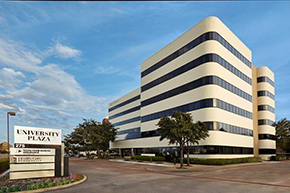
- Easy to find professional office in Dallas, Texas
SCHEDULE YOUR FREE PHONE CONSULTATION NOW
Learn Self-Hypnosis & Self-Hypnosis CDs or Fast Downloads
We understand that going and seeing a hypnosis professional for private sessions is not for everyone. So we offer self-hypnosis CDs, downloads, and our exclusive 7th Path Self-Hypnosis® Training Program. Click on the links below to learn more.